
IQ Booster: Brain Games & Test
HubXEducation
4.5282.00 Reviews
- Version
- 1.1.8
- Installs
- 100.00K
- Age Rating
- Everyone
Screenshots
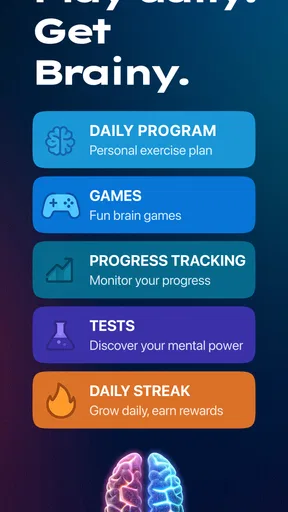
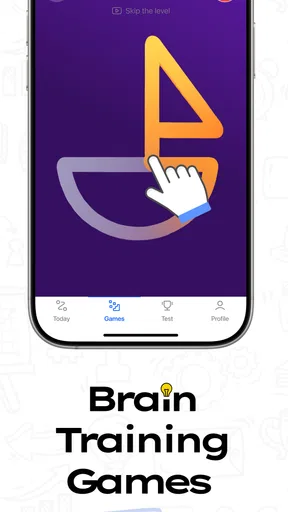
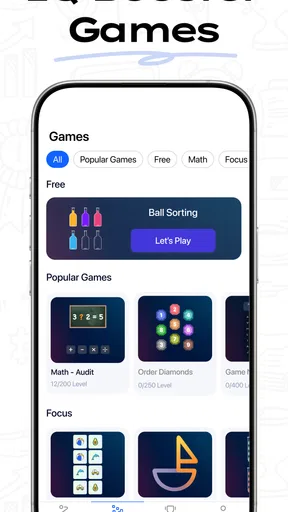
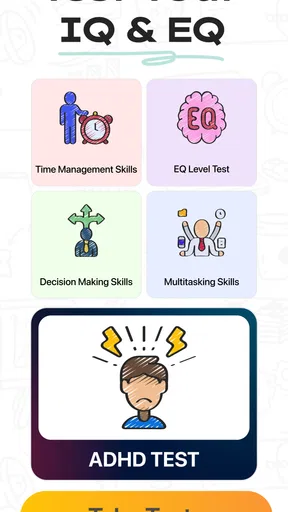
Our Review of IQ Booster: Brain Games & Test
 Analysis by Appyee
When I want a short change of pace that gives me something to think about, I’m more likely to open a quick puzzle than start a long course. IQ Booster: Brain Games & Test is built for that sort of session: it brings brain-training games and tests together in an education app from HubX. I see its main appeal as making mental challenges easy to dip into, not as a substitute for studying, sleep, or a proper assessment of cognitive ability.
It is free to install and has an Everyone age rating, which makes it approachable for a wide range of people. The app has a 4.6 average from around 3,200 ratings and more than 100,000 installs. Those figures suggest it has found an audience, but they don’t tell me whether its exercises will suit every player or deliver lasting improvement. I’d treat the games as enjoyable practice and judge the experience by whether I actually want to return to it.
How the app feels now
The current version is 1.1.6. It was released on May 27, 2025, so this is a relatively recent product rather than a long-established training platform. That matters when weighing its present-day appeal: I can assess what it offers now, but I wouldn’t assume that a particular feature will keep changing or that its current range represents a settled long-term plan.
In the original hands-on experience, setup felt quick, and the layout was easy to move around. I didn’t have to spend time learning a complicated structure before getting to the activities. That low barrier is useful when the point is a brief mental break. If I have only a few minutes free, an app that gets me into a challenge quickly has a practical advantage over one that first asks me to build a detailed study routine.
The range described in the app includes memory, logic, puzzle, and maths-style challenges, along with IQ, EQ, and ADHD tests in its store summary. These are different kinds of activities, so I would not treat them as interchangeable evidence about my abilities. A puzzle can be entertaining and can ask me to focus; a test label alone does not make an in-app result a clinical evaluation or a dependable measure of intelligence. I’d use the tests as casual self-reflection, not as a diagnosis or a basis for important decisions.
Choosing a session that fits the moment
The best way I’d use this is to match the activity to my attention, rather than forcing myself through a long session. If I’m tired after work, a familiar memory challenge can be a lighter choice than a tricky logic problem. If I’m waiting for an appointment and want something more absorbing, I’d choose a puzzle that requires me to hold several details in mind. Switching the kind of challenge helps keep the app from feeling like one repetitive test.
A useful small habit is to notice the conditions around a result. If I do a memory round while distracted, then try again somewhere quiet, the difference may say more about my focus in those moments than about any change in my underlying ability. I’d avoid reading too much into a single high score or a difficult attempt. Treating each session as a snapshot makes the experience more enjoyable and keeps the numbers in perspective.
For example, on a commute I might open the app while seated and choose a short activity that does not need a notebook or a long stretch of concentration. If the journey gets noisy or I need to watch for my stop, I’d pause rather than chase a score. At home, I could save a more demanding logic exercise for a time when I can give it proper attention. That simple split makes the app easier to fit around real life, instead of turning a casual tool into another obligation.
What progress can and cannot tell you
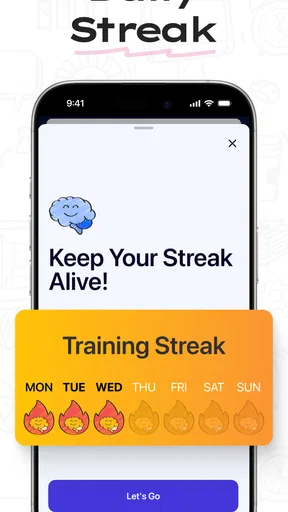
Progress tracking can make repeat play feel purposeful, especially if I enjoy seeing whether I’m getting more comfortable with a particular type of challenge. The original experience also noted stats, achievements, and comparisons with other users. I’d take those as motivation and context rather than a complete picture of cognitive health. A leaderboard can encourage me to return, but it can also make a personal exercise feel like a contest when what I really want is a quiet mental break.
One practical way to use tracking is to look for consistency rather than a dramatic leap. If the app shows that I’ve been returning to an activity, that may be a better prompt to reflect on my routine than to conclude that a score proves broad improvement. I’d compare like with like: the same style of activity, with roughly similar attention, rather than treating different games as one universal measure. That keeps the feedback useful without asking it to answer questions it wasn’t designed to settle.
Achievements can be a light nudge, but they are not a reason to keep playing when I’ve stopped enjoying it. I’d set a modest personal boundary, such as using a round or two as a break, and leave when the session stops feeling refreshing. That is especially helpful for anyone who tends to chase streaks, rankings, or a score just because the app makes progress visible. The strongest routine is one I can sustain without feeling pressured by it.
Where it fits among other options
Compared with a single-purpose puzzle app, this one is more appealing if I want several kinds of mental activity in one place. A dedicated logic game may go deeper into one style, while a conventional learning app is usually better when I need structured lessons, explanations, or a curriculum. This app sits between those approaches: it is for short, interactive challenges, not for learning a subject from the ground up.
That distinction helps me decide when to choose something else. If I want to improve at algebra, I’d look for lessons that explain methods and let me practise them step by step. If I want a relaxing puzzle with no interest in tests or progress comparisons, a simple standalone game may feel less busy. If I want to sample different mental challenges in a single app, this is the more convenient fit. The right alternative depends on whether I’m after variety, instruction, or a focused game.
There is also a difference between practice and proof. Repeating a game can make its rules and patterns more familiar, which is satisfying, but that does not automatically demonstrate a general increase in IQ or everyday memory. I’d enjoy the challenge for its own sake and use any test result lightly. Anyone looking for a formal cognitive or ADHD assessment should turn to an appropriate qualified professional rather than rely on a casual app exercise.
Costs, access, and the trade-offs
The app is free to download, with in-app purchases ranging from $6.99 to $39.99 per item. That makes it sensible to try the basic experience before spending anything. I’d first check whether the available activities are varied enough for my habits and whether I naturally return to them. A purchase only makes sense if the app’s current paid options clearly solve a problem I have, rather than because I feel that paying will somehow make the training more effective.
Its minimum OS requirement is 7.0, so device compatibility is worth checking before planning to use it on an older phone or tablet. For someone choosing an app for a child or sharing a device, the Everyone age rating is a helpful starting point, though I’d still make the decision based on the individual user and the way they respond to competition or scores. For adults, the same easy entry can be a benefit, but people who dislike gamified progress may prefer a quieter tool.
The main limitation I’d keep in mind is the gap between an engaging activity and a dependable measure of real-world ability. Games can make focus and memory feel tangible, yet performance varies with fatigue, interruptions, familiarity, and mood. The variety is useful for keeping sessions fresh, but it can also make comparisons across activities misleading. I would not use a single result to label myself, track a health concern, or decide whether I’m becoming more intelligent.
Who is likely to enjoy it
I’d recommend giving it a try if you like quick puzzles, enjoy rotating between memory and logic challenges, or want a small screen-time break that asks for active attention. It can also suit someone who likes light progress feedback and finds achievements motivating without taking them too seriously. The most realistic benefit is an accessible way to spend a few minutes on a mental challenge; it is not a promise of measurable changes outside the app.
I’d skip it if I need a structured course, reliable clinical screening, or a single deep puzzle experience with no extra test or tracking elements. It may also be a poor fit if rankings make you anxious or if you tend to turn scores into judgments about your worth. In those cases, a lesson-based education app, a specialist assessment, or a straightforward puzzle game would better match the goal.
For anyone still deciding whether it is worth trying, my answer is yes if the free experience sounds appealing and you can keep expectations grounded. Start with a short session, try more than one activity type, and notice which ones you genuinely enjoy. If the app becomes a pleasant routine, its convenience is the point; if it feels like a chore or its tests invite conclusions you can’t reasonably draw, there is no need to force it.
The Games Galore
Now, let’s talk about the games themselves. IQ Booster: Brain Games & Test offers a diverse selection. Whether you’re into puzzles, math challenges, memory tests, or logic puzzles, there’s something here to tickle your brain cells.
One of my favorites has to be the memory games. They start off simple, but don’t be fooled; they ramp up in difficulty pretty quickly. There’s something so satisfying about beating your own high score. And if you're a fan of logic puzzles, prepare to have your mind blown. These really test your problem-solving skills and keep you coming back for more.
Tracking Your Progress
One cool feature is how the app tracks your progress. It’s not just about playing the games; it’s about seeing how you improve over time. You can check out detailed stats on your performance and even compare it with other users. The competitive edge gives you that extra push to keep playing and improving.
Plus, if you’re someone who loves achieving goals, the app offers various achievements you can unlock as you progress. It adds a fun layer of motivation to keep you engaged.
Why It Stands Out
What really sets IQ Booster: Brain Games & Test apart from other brain training apps is its balance of fun and challenge. It doesn’t feel like a chore; it feels like a rewarding way to spend your time. The app is continuously updated with new games and features, which keeps things fresh and exciting.
The community aspect is also pretty neat. You can share your results with friends or even challenge them. It’s a great way to keep connected and maybe even spark a little friendly rivalry.
The Final Word
All in all, IQ Booster: Brain Games & Test is a fantastic way to keep your brain sharp. Whether you’re looking to kill some time on your commute or just want to give your mind a little exercise, this app has got you covered. It’s engaging, challenging, and most importantly, fun.
So, if you're ready to give your brain the workout it deserves, head over to your app store and give IQ Booster: Brain Games & Test a try. Trust me, your brain will thank you later.
Verdict
Strengths of IQ Booster: Brain Games & Test
- Engaging puzzles enhance cognitive skills.
- User-friendly interface for easy navigation.
- Variety of games keeps it interesting.
- Regular updates with new challenges.
- Offline mode available for convenience.
Limitations of IQ Booster: Brain Games & Test
- Contains ads that can disrupt gameplay.
- Some levels may feel repetitive.
- In-app purchases for advanced features.
- Limited customization options for users.
- Requires occasional internet connection.
Other Releases by HubX
View All
Home AI - AI Interior Design
Lifestyle4.3

DaVinci - AI Image Generator
Art & Design3.6

AI Video - AI Video Generator
Photography4.5

MyTunes : AI Music Generator
Entertainment4.3
Similar Picks in This Category
View All
Duolingo: Language Lessons
Duolingo4.7

Google Classroom
Google LLC2.8

Unacademy: Learn & Crack Exams
Unacademy3.2

Bible App for Kids
Life.Church4.4

Cake - Learn English & Korean
Cake Corp.4.7

Brainly: AI Homework Helper
Brainly4.5
Frequently Asked Questions
What is IQ Booster: Brain Games & Test?
IQ Booster: Brain Games & Test is an engaging app designed to enhance cognitive skills through a variety of brain-training games and quizzes. It offers puzzles, memory challenges, and logic tests aimed at boosting mental agility and intelligence. The app is suitable for all ages and adjusts difficulty based on user performance.
How does IQ Booster improve cognitive abilities?
The app uses scientifically designed games to stimulate different areas of the brain. These activities challenge memory, logic, problem-solving, and attention, helping users to enhance their cognitive functions over time. Regular use can lead to noticeable improvements in mental sharpness and information retention.
Is the app suitable for children?
Yes, IQ Booster is suitable for children, offering age-appropriate games that are both educational and entertaining. The app includes parental control features to ensure a safe gaming environment, and it adapts the difficulty level to match the child's cognitive development, making learning enjoyable.
Are there any in-app purchases or advertisements?
IQ Booster offers a free version with limited features and advertisements. Users can opt for a premium subscription to unlock additional games, remove ads, and access advanced features. The subscription provides a more comprehensive experience and supports the continued development of the app.
What platforms is IQ Booster available on?
IQ Booster: Brain Games & Test is available on both Android and iOS platforms. It can be downloaded from the Google Play Store for Android devices and the Apple App Store for iOS devices, ensuring a wide reach and compatibility with most smartphones and tablets.
